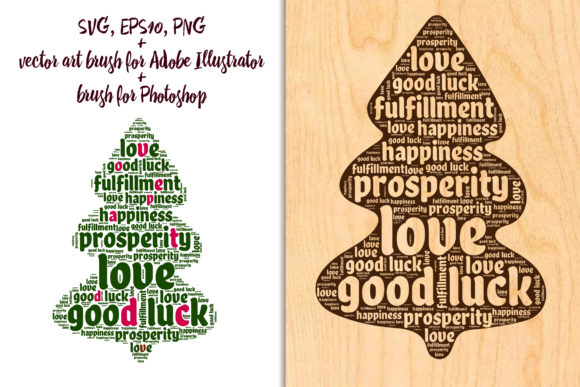
Christmas Tree Made of Kind Words: A Heartfelt Digital Design Resource
The holiday season is often defined by visual traditions, from twinkling lights to the scent of pine. Yet, one of the most powerful elements of Christmas is intangible: the warmth of human connection. The Christmas Tree Made of Kind Words bridges this gap between visual tradition and emotional expression. It is not merely a graphic element; it is a design tool that transforms standard holiday greetings into meaningful messages of goodwill. For designers, crafters, and content creators, this resource offers a unique way to embed sentiment directly into the structure of festive imagery.
Unlike traditional clip art that relies solely on shapes and colors, this concept uses typography as texture. The tree itself is constructed from wishes, blessings, and positive affirmations. This approach resonates deeply in an era where audiences crave authenticity and personalization. Whether you are designing a digital greeting card for social media or printing high-resolution ornaments for a local market, understanding how to leverage this specific type of asset can elevate your creative output significantly.
Transforming Holiday Greetings with Typographic Art
At its core, the Christmas tree made of kind words serves as a versatile foundation for holiday communication. The primary appeal lies in its dual function: it acts as both a decorative image and a readable message. When you incorporate this into your projects, you are saving time on layout design while adding a layer of narrative depth. The tree shape provides immediate seasonal recognition, while the text within invites the viewer to pause and read, creating a longer engagement time with your design.
This resource is particularly effective for those who struggle with writing original holiday copy. The pre-written kind words offer a curated selection of sentiments that are universally appealing. You do not need to worry about finding the right phrase to convey warmth; the design does the heavy lifting for you. This allows you to focus on other aspects of your project, such as color grading, background selection, or overall composition.
Practical Applications for Designers and Crafters
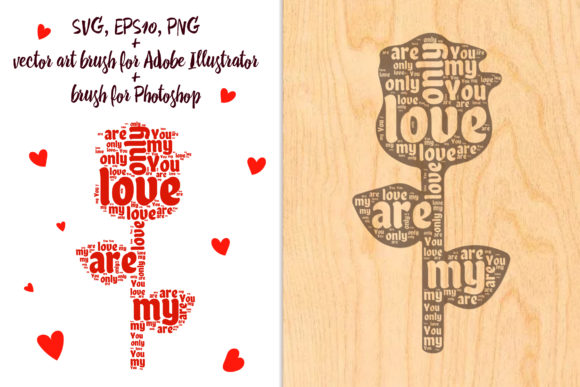
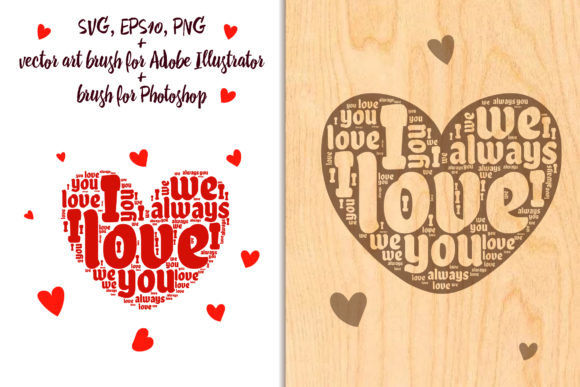
The versatility of this asset is evident in its file formats. Provided as Art Brushes for Adobe Illustrator, Brushes for Photoshop, and in vector formats like EPS10 and SVG, it caters to a wide range of technical workflows. Additionally, the inclusion of high-resolution PNG files (4500x6000 pixels) ensures that users without advanced design software can still achieve professional results. Here is how different creators can utilize this tool in real-world scenarios:
- Digital Greeting Cards: For freelance designers creating custom e-cards, the brush format allows for dynamic placement. You can paint the tree onto various backgrounds, adjusting the size and opacity to fit different card dimensions. The transparent letters option enables you to overlay the tree on photos of families or landscapes, creating a personalized keepsake that feels intimate rather than generic.
- Print-on-Demand Products: Entrepreneurs selling holiday merchandise can use the vector EPS10 or SVG files to scale the design infinitely without losing quality. This is crucial for products ranging from small enamel pins to large throw pillows. The clean lines of the vector format ensure that printing processes, such as screen printing or sublimation, yield crisp, professional results.
- Social Media Content: Influencers and brand managers can use the PNG variants to quickly create festive posts. The high resolution ensures that the text remains legible even on high-density mobile screens. By simply adding a brand logo or a short call-to-action below the tree, you can produce campaign-ready visuals in minutes.
- Scrapbooking and Paper Crafts: Hobbyists who prefer physical crafts can print the PNG files on high-quality cardstock. The transparent background variant is especially useful here, allowing the tree to be cut out and layered over patterned paper or fabric. This adds a modern, typographic twist to traditional scrapbooking layouts.
Navigating File Formats for Optimal Results
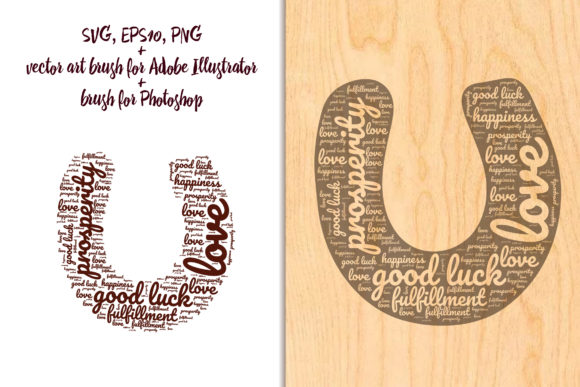
Choosing the right file format is critical to achieving the desired aesthetic. The ZIP folder associated with this resource typically includes two variants of a horseshoe shape, which may serve as a complementary decorative element or a frame for additional text. One variant features transparent letters, while the other offers a transparent background. Understanding the distinction between these options can save hours of editing time.
The transparent letters variant is ideal when you want the background image to show through the text of the tree. This creates a sophisticated, layered effect where the underlying photo becomes part of the message. For instance, if you place this over a image of a snowy forest, the trees in the photo will appear within the letters of the kind words, blending nature with narration. Conversely, the transparent background variant is better suited for solid or simple gradient backgrounds where you want the text to stand out clearly without visual interference.
For Adobe Illustrator users, the Art Brushes provide the highest level of customization. You can adjust the stroke weight, color, and spacing of the words that form the tree. This is particularly useful for matching the design to specific brand guidelines or color palettes. Photoshop users will appreciate the Brushes for their ability to add texture and depth, allowing for subtle shadows or highlights that give the flat text a three-dimensional appearance.
Considerations for Effective Usage
While the Christmas tree made of kind words is a powerful tool, there are practical considerations to keep in mind. Legibility is paramount. Because the tree is formed by text, ensuring that the words are readable at the intended display size is essential. If you are scaling the design down for a small icon or favicon, the text may become illegible. In such cases, it is better to use the silhouette of the tree as a graphical element rather than relying on the textual content.
Color contrast also plays a significant role. Since the design relies on typography, low contrast between the text and the background can render the message invisible. Always test your design on multiple devices and lighting conditions. Dark text on a dark background, or light text on a light background, should be avoided unless you apply a strong drop shadow or outline to separate the layers.
Another consideration is cultural sensitivity. The "kind words" included in the design are generally universal, but if you are targeting a global audience, ensure that the sentiments align with the cultural norms of your recipients. The beauty of this resource is its adaptability; if the default phrases do not suit your needs, the vector format allows you to edit or replace specific words, tailoring the message to your specific audience.
Enhancing Creativity with Flexible Tools
The true value of this resource lies in its ability to inspire creativity rather than restrict it. By providing multiple formats—raster, vector, and brushes—it removes technical barriers that often hinder creative flow. You are not forced into a single workflow. Instead, you can choose the tool that best fits your current project and skill level.
For beginners, the PNG files offer a plug-and-play solution. For intermediate users, the Photoshop brushes allow for artistic experimentation. For professionals, the Illustrator vectors and EPS10 files provide the precision needed for high-end commercial work. This inclusivity makes the Christmas Tree Made of Kind Words a valuable addition to any digital asset library.
As you explore the possibilities, remember that the goal is to convey warmth and connection. The technical aspects of file formats and transparency are merely means to that end. Use this tool to create designs that not only look beautiful but also feel genuine. Whether you are sending a quick digital wish or crafting a heirloom-quality ornament, let the kind words within the tree carry your message of hope and joy for the Christmas and New Year season.
Thank you for visiting my store. Good luck with your creativity. If you have any questions, please contact me. Svetlana.