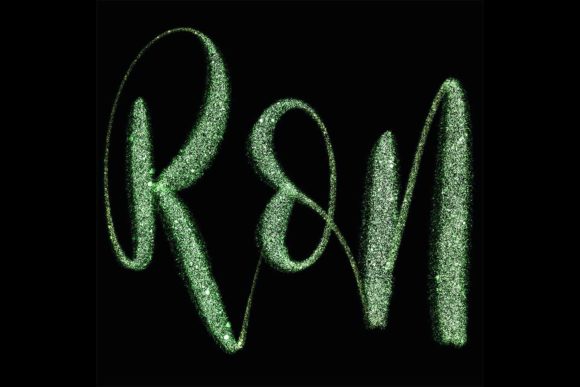
Enhancing Digital Calligraphy with the Glitter Brush for Procreate 5 and Above
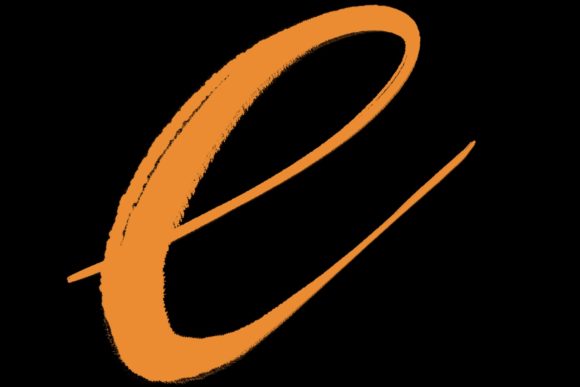
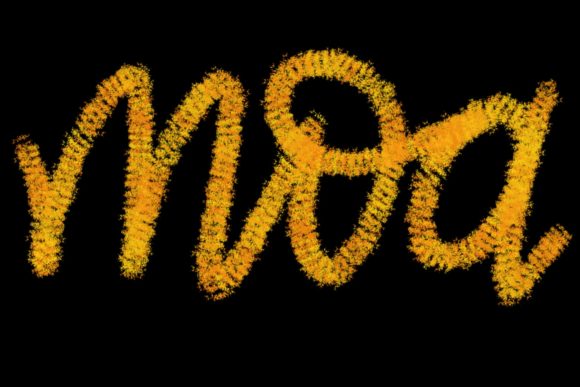
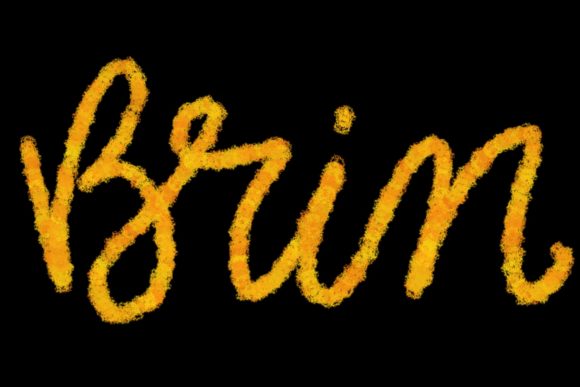
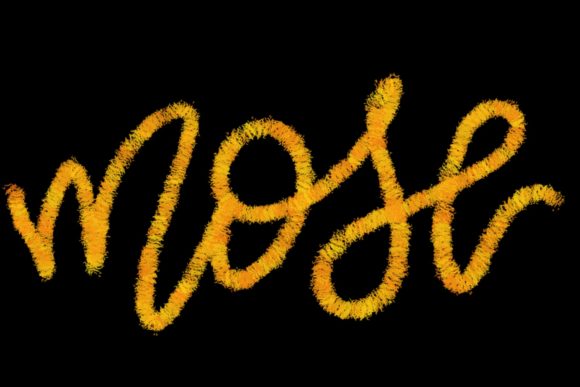
In the rapidly evolving landscape of digital illustration, texture and finish play pivotal roles in distinguishing amateur work from professional-grade design. For artists specializing in lettering, modern calligraphy, and graphic design, the ability to replicate physical media effects digitally is not just a novelty—it is a necessity. The Glitter Brush for Procreate 5 and Above emerges as a specialized tool designed to bridge this gap, offering a hand-drawn aesthetic that brings sparkle and depth to digital canvases. Unlike standard brushes that rely on uniform opacity or simple scattering, this brush set is engineered to mimic the chaotic, reflective nature of real glitter, providing a level of realism that static images often lack.
Understanding the specific utility of this tool requires looking beyond its decorative appeal. It is primarily crafted for lettering and modern calligraphy designs, allowing creators to produce elegant letters, quote designs, greeting cards, logos, and wedding stationery with a touch of glamour. However, its application extends far beyond mere embellishment. For professionals evaluating their digital toolkit, the decision to integrate such a specialized brush involves weighing its unique capabilities against broader software limitations and alternative methods.
Distinctive Features and Design Philosophy
The core distinction of the Glitter Brush for Procreate 5 and Above lies in its hand-drawn origin. Many digital brushes are generated algorithmically, which can result in repetitive patterns that look artificial upon close inspection. By contrast, this brush set utilizes custom-designed textures that break up uniformity, creating a more organic and visually engaging result. This is particularly crucial for high-resolution projects such as wedding stationary or branded logos, where pixel-perfect repetition can detract from the perceived quality of the work.
Furthermore, the brush is optimized specifically for the pressure-sensitive capabilities of the Apple Pencil when used in conjunction with an iPad Pro. This hardware-software synergy allows for dynamic control over the density and spread of the glitter effect. A light touch might yield a subtle dusting of sparkle, suitable for background accents, while increased pressure delivers a bold, concentrated shimmer ideal for headline lettering. This responsiveness is a key factor for calligraphers who rely on variable line weights to convey emotion and style in their work.
Comparative Analysis: Specialized Brushes vs. General Tools
When considering how to achieve glitter effects in digital art, creators generally face three options: using a specialized brush pack, manually layering texture images, or relying on general-purpose scatter brushes. Each approach has distinct tradeoffs regarding time, flexibility, and final output quality.
Manual Texturing: Some designers prefer importing high-resolution photos of glitter and using blending modes like "Screen" or "Overlay" to apply them to their text. While this offers ultimate control over the specific type of glitter (e.g., hexagonal vs. fine dust), it is labor-intensive. It requires masking, adjusting opacity, and ensuring the texture scales correctly without losing resolution. For quick turnaround projects like social media graphics or daily quote designs, this method is often inefficient.
General Scatter Brushes: Standard scatter brushes available in many default libraries can mimic particle effects. However, they often lack the nuanced reflectivity of true glitter. They may appear flat or two-dimensional, failing to capture the light-play that makes glitter visually striking. The Glitter Brush for Procreate 5 and Above addresses this by incorporating varied particle sizes and opacity levels within a single stroke, creating a sense of depth that generic scatter brushes typically miss.
Specialized Brush Sets: This is where the targeted design of the Glitter Brush shines. It is pre-configured to balance randomness with readability. For lettering artists, legibility is paramount; a brush that is too chaotic can obscure the letterforms. This set is tuned to enhance the shape of the letters rather than overwhelm them, making it a superior choice for modern calligraphy where the structure of the script must remain clear despite the decorative overlay.
Hardware Constraints and Compatibility Considerations
A critical aspect of evaluating any Procreate asset is understanding its technical requirements. The Glitter Brush for Procreate 5 and Above is explicitly designed for the Procreate app on iPad Pro devices equipped with a compatible pressure-sensitive stylus, such as the Apple Pencil. This specificity is not arbitrary; the brush’s engine relies on tilt and pressure data to render the glitter particles realistically.
It is essential to note what this tool is not suitable for. It does not function in Photoshop, Illustrator, or any desktop-based computer software. For artists who maintain a hybrid workflow—starting sketches on an iPad and finishing vectors on a Mac or PC—this limitation means the glitter effect must be finalized on the iPad before exporting. Additionally, users with older iPad models or non-pressure-sensitive styluses will find the brush ineffective, as it cannot access the necessary input data to vary the stroke dynamics. This makes it a niche product for a specific ecosystem, rather than a universal solution for all digital artists.
Practical Use Cases and Best-Fit Scenarios
To determine if this brush set aligns with your creative needs, consider the types of projects you frequently undertake. The Glitter Brush for Procreate 5 and Above is particularly effective in the following scenarios:
- Wedding and Event Stationery: Clients often request luxurious, eye-catching elements for invitations and save-the-dates. The brush allows for rapid iteration of glittery monograms and borders without the need for complex layering techniques.
- Social Media Graphics: In a feed dominated by static images, quotes and announcements with subtle sparkle can increase engagement. The brush enables quick creation of these assets directly on the iPad, streamlining the workflow for content creators.
- Logo Design Concepts: While final logos are usually delivered in vector format, presenting concepts with realistic textures can help clients visualize the brand’s potential aesthetic. This brush helps in creating compelling mockups for beauty, fashion, or lifestyle brands.
- Greeting Cards and Prints: For artists selling digital downloads or print-on-demand products, adding a glitter effect can differentiate standard designs from premium offerings.
However, there are situations where this tool may not be the best fit. If your primary focus is technical illustration, architectural rendering, or minimalist line art, the decorative nature of the brush may be irrelevant. Similarly, if you require scalable vector graphics for large-format printing, remember that Procreate produces raster images. While the resolution can be high, it is not infinitely scalable like vector paths created in Illustrator. In such cases, the brush serves best as a texturing element to be exported and incorporated into a larger composite workflow.
Making an Informed Decision
Choosing the right digital tools is about matching functionality with workflow efficiency. The Glitter Brush for Procreate 5 and Above offers a streamlined solution for adding high-quality, realistic sparkle to lettering and calligraphy projects. Its strengths lie in its hand-drawn authenticity, pressure-sensitive responsiveness, and ease of use within the Procreate environment. It eliminates the tedious process of manual texturing while providing a more sophisticated result than generic scatter brushes.
Yet, potential users must acknowledge its limitations. It is strictly bound to the iPad Pro and Apple Pencil ecosystem, excluding desktop users and those with incompatible hardware. It is also a stylistic tool, best suited for decorative applications rather than structural or technical design work.
For artists aged 20–50 who are building a versatile digital studio, evaluating this brush involves asking whether the time saved in texturing justifies the investment. If you frequently create content for weddings, social media, or branded graphics where visual impact is key, this tool provides a significant advantage. If your work leans toward minimalism or requires cross-platform vector compatibility, you may find greater value in mastering manual texturing techniques or investing in vector-based texture libraries. Ultimately, the Glitter Brush for Procreate 5 and Above is a powerful specialist tool that, when used in the right context, can elevate the professionalism and appeal of your digital lettering portfolio.