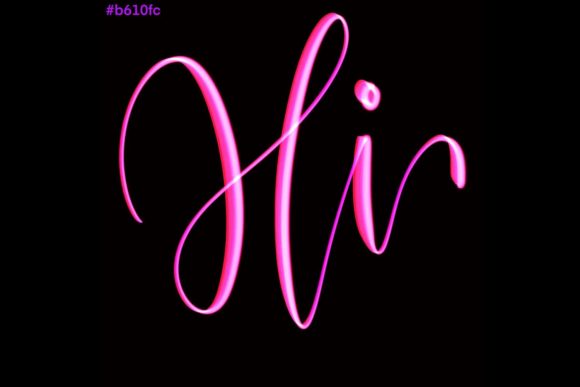
Refining Your Digital Lettering: A Practical Review of Brighter Brush for Procreate 5 and Above
In the rapidly expanding ecosystem of digital art tools, selecting the right brush set can feel overwhelming. For artists focusing on typography, modern calligraphy, and hand-lettered designs, the tool you choose directly influences your workflow efficiency and the final aesthetic quality of your work. One option that has garnered attention among iPad users is Brighter Brush for Procreate 5 and Above. This specialized toolset is designed not merely as a generic painting instrument, but as a precision instrument for lettering enthusiasts who value elegance and control.
Understanding whether this brush set aligns with your creative needs requires looking beyond marketing claims. It involves evaluating its technical compatibility, its specific design philosophy, and how it compares to other methods of achieving similar results. This analysis aims to provide a balanced perspective, helping you determine if Brighter Brush for Procreate 5 and Above is the right addition to your digital studio or if an alternative approach might serve you better.
Defining the Tool: What Makes It Distinct?
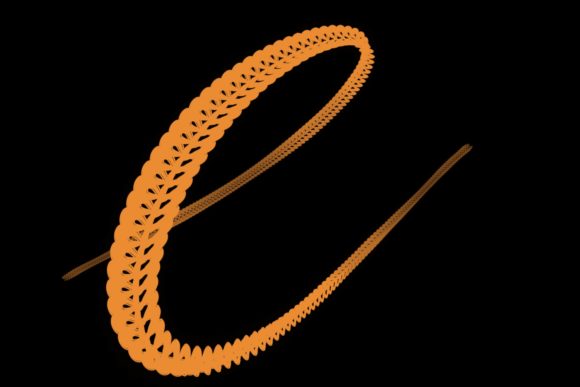
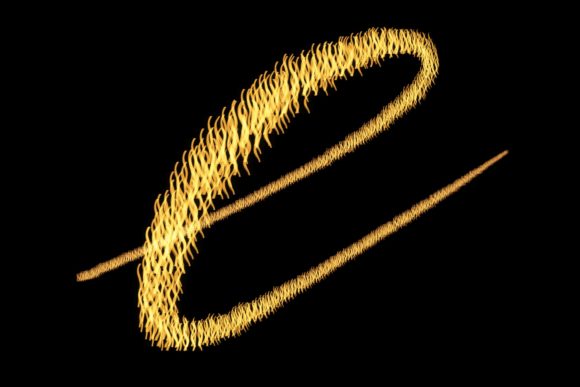
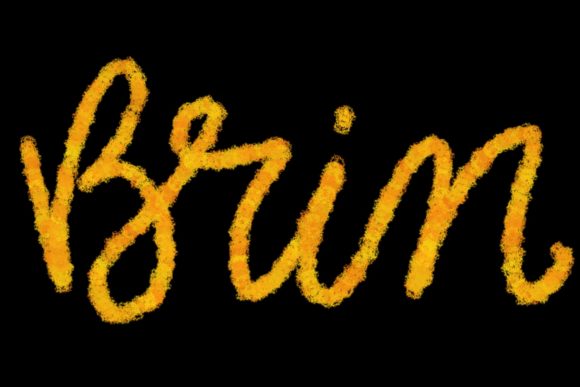
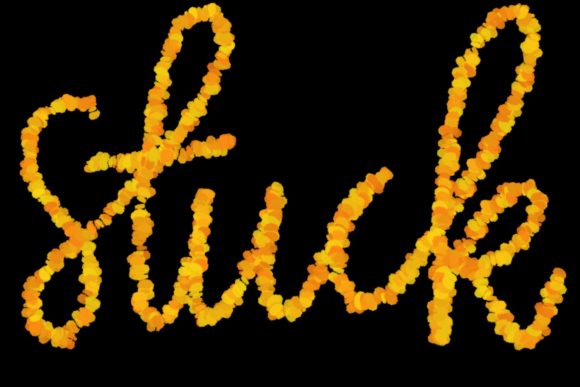
At its core, Brighter Brush for Procreate 5 and Above is a hand-drawn brush set engineered specifically for the Procreate application on iPad. Unlike standard round brushes found in default libraries, this set is optimized for the nuances of modern calligraphy and lettering. The primary distinction lies in its responsiveness to pressure sensitivity. When paired with an Apple Pencil, the brush mimics the natural flow of ink on paper, allowing for dynamic thick and thin strokes that are essential for elegant script work.
The design philosophy behind this brush set emphasizes versatility within a niche. It is not intended for broad landscape painting or complex character illustration. Instead, it focuses on creating graphics, quote designs, greeting cards, logos, and wedding stationery. The "hand-drawn" nature of the brush texture adds a layer of organic authenticity that vector-based fonts often lack. This human touch is crucial for designers aiming to create warm, inviting, and personalized visual communications.
Furthermore, the requirement for Procreate 5 and above ensures that users benefit from the latest engine improvements in the app, such as enhanced streamline features and brush stabilization. These technical underpinnings allow the brush to perform smoothly, reducing jitter and providing a consistent line quality that is difficult to achieve with older software versions or less optimized tools.
Technical Requirements and Compatibility Constraints
Before investing time in learning a new tool, it is critical to understand its hardware and software dependencies. Brighter Brush for Procreate 5 and Above has strict requirements that may limit its accessibility for some users. Specifically, it requires an iPad Pro and an Apple Pencil. The reliance on the iPad Pro is due to the need for high-fidelity pressure sensitivity and low latency, which are hallmarks of Apple’s premium tablet line.
It is important to note that this brush is not suitable for Photoshop, Clip Studio Paint, or any desktop-based software. It is also incompatible with iPads that do not support the Apple Pencil or older versions of Procreate. This exclusivity is a significant tradeoff. On one hand, it ensures a highly optimized experience for those within the Apple ecosystem. On the other hand, it alienates users who prefer Android tablets, Windows surfaces, or traditional desktop workflows.
For professionals who work across multiple platforms, this limitation means that Brighter Brush for Procreate 5 and Above cannot be part of a unified cross-platform workflow. If you frequently switch between an iPad and a MacBook for design work, you will need to recreate your lettering assets or find alternative tools that offer consistency across both environments. However, for artists who have fully committed to the iPad Pro as their primary creative device, these constraints are less of a hurdle and more of a guarantee of performance stability.
Comparing Approaches: Custom Brushes vs. Vector Fonts
When considering tools for lettering and calligraphy, designers often debate between using custom brush sets like Brighter Brush for Procreate 5 and Above and utilizing pre-made vector fonts. Each approach has distinct advantages and disadvantages depending on the project scope.
Vector fonts offer speed and editability. They are ideal for large-scale branding projects where text needs to be resized frequently without loss of quality. However, they can sometimes appear rigid or impersonal. In contrast, using a specialized brush set allows for complete creative freedom. You can adjust the weight, slant, and flourish of each letter individually, resulting in a unique piece of art that stands out from template-based designs.
Brighter Brush for Procreate 5 and Above shines in scenarios where authenticity and artistic flair are prioritized over rapid production. For example, when designing wedding stationary or handmade greeting cards, the slight imperfections and organic variations created by the brush add emotional value. Clients often perceive hand-lettered work as more luxurious and thoughtful compared to standard typography. Therefore, if your goal is to jazz up your workspace with bespoke, high-end visuals, this brush set offers a clear advantage over static font libraries.
Ideal Use Cases and Practical Applications
To better understand the utility of this tool, consider specific real-world applications. The brush set is particularly effective for:
- Social Media Graphics: Creating eye-catching quote images that require a personal touch to engage followers.
- Wedding Stationery: Designing invitations, place cards, and menus where elegance and customization are paramount.
- Logo Design: Crafting unique wordmarks for boutique brands, cafes, or lifestyle businesses that want to convey a handmade aesthetic.
- Greeting Cards: Producing limited-run or custom cards for holidays and special occasions.
In each of these cases, the ability to manipulate the brush stroke in real-time allows for iterative design. You can experiment with different flourishes and connections between letters until the composition feels balanced. This level of control is difficult to replicate with automated tools, making Brighter Brush for Procreate 5 and Above a valuable asset for freelancers and small business owners who handle their own branding.
Limitations and When to Consider Alternatives
While Brighter Brush for Procreate 5 and Above excels in specific areas, it is not a universal solution. Artists who primarily work in raster-based illustration, 3D modeling, or photo editing will find limited use for this specialized tool. Additionally, those who lack confidence in their hand-lettering skills may struggle to achieve professional results without significant practice.
If you are a beginner struggling with consistency, you might benefit more from tools that offer guided lettering templates or apps with built-in correction features. Alternatively, if you require scalable graphics for large-format printing, working directly in vector software like Adobe Illustrator might be more efficient, despite the steeper learning curve for achieving organic looks.
Another consideration is the learning curve associated with digital calligraphy. Mastering the pressure sensitivity and angle of the Apple Pencil takes time. Users expecting instant mastery may feel frustrated initially. It is advisable to pair this brush set with tutorials or courses on modern calligraphy to fully leverage its potential.
Making an Informed Decision
Choosing the right digital tool is a personal decision based on your workflow, hardware, and artistic goals. Brighter Brush for Procreate 5 and Above is a strong contender for artists who own an iPad Pro and are dedicated to the craft of hand-lettering. Its strengths lie in its organic feel, responsiveness, and suitability for high-end, personalized design projects.
However, it is essential to weigh these benefits against its limitations. The exclusivity to the Apple ecosystem and the need for manual skill development mean it is not a plug-and-play solution for everyone. If you value flexibility across platforms or prefer the precision of vector graphics, other options may serve you better.
Ultimately, if you are looking to elevate your digital lettering game and create work that feels authentic and handcrafted, this brush set offers a compelling pathway. By understanding its specific fit within the broader landscape of design tools, you can make a choice that enhances your creativity rather than complicating your workflow. Take the time to assess your current projects and future ambitions, and let those factors guide your investment in new digital resources.