Master Modern Calligraphy with the Armani Brush
Digital lettering has transformed from a niche hobby into a vital skill for designers, marketers, and content creators. Whether you are crafting a logo for a new startup, designing wedding invitations, or simply adding a personal touch to social media graphics, the right tools make all the difference. The Armani Brush for Procreate 5 and Above stands out as a specialized tool designed to bridge the gap between traditional ink flow and digital precision. It is not just another add-on; it is a hand-drawn instrument engineered specifically for those who value elegance and control in their typography.
Why Specialized Brushes Matter in Digital Design
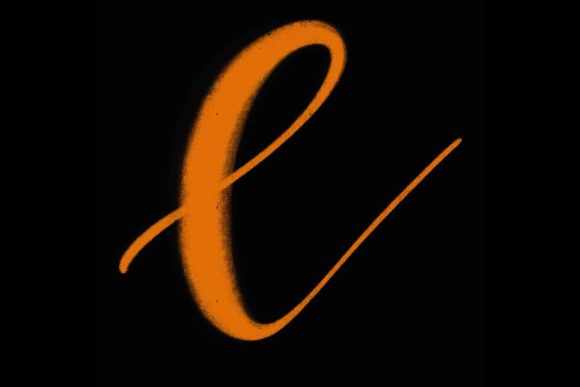
Many beginners make the mistake of relying on default brushes for complex calligraphy. While standard round brushes are versatile, they often lack the nuanced response required for modern calligraphy. This art form relies heavily on the contrast between thick downstrokes and thin upstrokes. Achieving this naturally requires a brush that responds intuitively to pressure and tilt.
The Armani Brush for Procreate 5 and Above was created with this specific mechanical need in mind. By simulating the behavior of high-quality nibs, it allows artists to focus on the rhythm of their letters rather than fighting against the software. This results in smoother workflows and more professional-looking outcomes, even for those who are still refining their technique.
Key Characteristics of the Armani Brush
Understanding what makes this brush set unique helps in determining if it fits your creative toolkit. Here are the core qualities that define its performance:
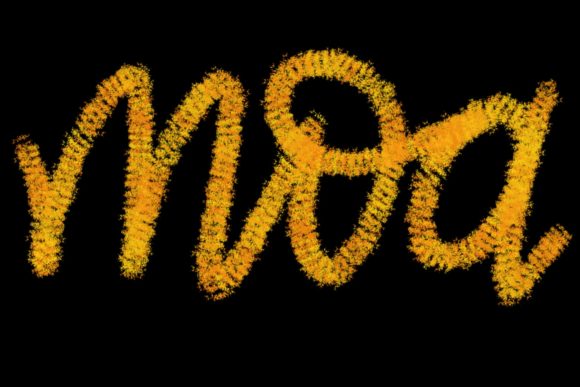
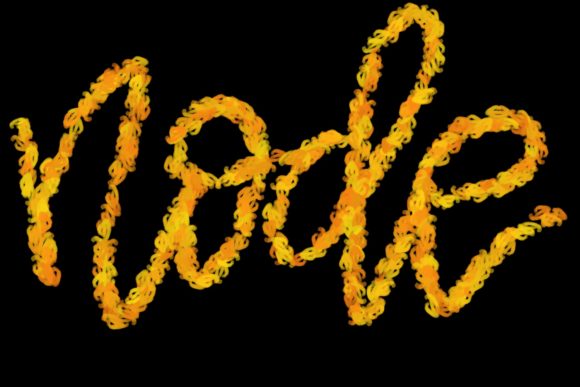
- Hand-Drawn Precision: Unlike algorithmically generated brushes, the Armani Brush is based on hand-drawn textures. This provides an organic feel that avoids the sterile, computer-generated look common in digital art.
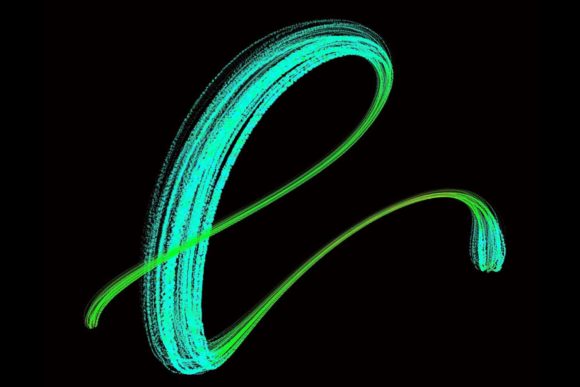
- Pressure Sensitivity Optimization: The brush is calibrated to work seamlessly with the Apple Pencil. It captures subtle variations in pressure, allowing for dynamic line weight changes that are essential for elegant lettering.
- Tailored for Procreate 5+: Designed specifically for the updated engine of Procreate 5 and above, it leverages the latest features for stability and responsiveness, ensuring a lag-free experience.
- Versatile Stroke Quality: While optimized for calligraphy, the brush’s texture allows it to be used for illustrative elements, borders, and decorative flourishes that complement text.
Practical Applications for Creators and Businesses
The utility of the Armani Brush for Procreate 5 and Above extends far beyond simple practice sheets. Its versatility makes it a valuable asset across various professional and personal projects.
Branding and Logo Design
For entrepreneurs and graphic designers, custom typography is a powerful branding tool. A logo created with the Armani Brush can convey sophistication and authenticity. Whether you are designing a monogram for a boutique clothing line or a script logo for a café, the brush allows for unique, one-of-a-kind letterforms that stock fonts cannot replicate.
Wedding Stationery and Event Planning
The wedding industry thrives on personalization. Invitation suites, place cards, and menus benefit immensely from the elegant strokes provided by this brush. Designers can create cohesive themes where the typography matches the floral arrangements or color palettes, offering clients a bespoke service that commands higher value.
Social Media and Content Creation
In the fast-paced world of digital marketing, eye-catching visuals are crucial. Quote graphics, story highlights, and promotional posts gain engagement when they feature hand-lettered elements. Using the Armani Brush allows content creators to produce high-quality typographic assets quickly, maintaining a consistent aesthetic across their platforms.
Educational Materials and Worksheets
Educators and publishers can use this brush to create engaging learning materials. From handwriting practice sheets for students to decorative headers in digital textbooks, the clarity and beauty of the brush enhance the visual appeal of educational content, making it more inviting for learners.
Technical Requirements and Compatibility
To get the most out of this tool, it is essential to understand its technical constraints. The Armani Brush for Procreate 5 and Above is not a universal plugin; it is highly specialized hardware-dependent software.
Required Setup:
- Device: iPad Pro (or compatible iPad models that support full pressure sensitivity).
- Stylus: Apple Pencil. The brush relies on the precise pressure and tilt data provided by the Apple Pencil. Standard capacitive styluses will not deliver the intended performance.
- Software: Procreate app, version 5 or higher. Older versions may not support the brush engine features utilized in this set.
Important Limitation: This brush is exclusively designed for the Procreate ecosystem on iPad. It is not suitable for Photoshop, Illustrator, or any desktop-based software. Attempting to use it outside of this environment will result in incompatibility. This specificity ensures that the brush performs optimally within the interface it was built for, but users must be committed to the iPad workflow.
Tips for Maximizing Your Workflow
Integrating the Armani Brush for Procreate 5 and Above into your daily routine can significantly boost productivity. Here are some practical recommendations for getting started:
- Calibrate Your Grip: Spend time practicing basic strokes before attempting full words. Focus on maintaining consistent pressure for downstrokes and lightening your touch for upstrokes. The brush rewards muscle memory.
- Utilize Layers: Sketch your letterforms on a lower opacity layer first. Use the Armani Brush on a new layer for the final ink. This non-destructive workflow allows for easy corrections without cluttering your canvas.
- Experiment with Opacity: While the brush is designed for solid lines, adjusting the opacity can create depth and shadow effects, adding a three-dimensional quality to your lettering.
- Combine with Textures: To jazz up your workspace and home decor prints, consider placing your lettering over textured backgrounds. The organic nature of the Armani Brush complements paper textures, watercolor washes, and fabric patterns beautifully.
Enhancing Your Creative Environment
Beyond its functional use, the Armani Brush for Procreate 5 and Above serves as an inspiration tool. Many users find that having a high-quality, specialized brush encourages them to practice more frequently. The immediate visual feedback of creating beautiful letters can transform a mundane design session into a enjoyable creative ritual.
For those looking to decorate their physical spaces, the digital files created with this brush can be printed on high-quality paper, framed, and displayed. Custom quotes, family names, or motivational phrases rendered in elegant calligraphy add a personal and sophisticated touch to any home or office environment. It is a perfect way to blend digital creativity with tangible decor.
Final Thoughts on Choosing the Right Tool
Selecting the right digital brush is akin to a painter choosing their favorite sable brush. It is a personal choice that depends on your style and needs. However, for anyone serious about modern calligraphy and lettering on the iPad, the Armani Brush for Procreate 5 and Above offers a compelling combination of ease of use and professional results. It removes technical barriers, allowing your creativity to flow freely. By understanding its requirements and leveraging its strengths, you can elevate your design work, create stunning commercial assets, and bring a touch of elegance to every project you touch.