Neem Brush for Procreate 5 and Above: Elevating Digital Lettering and Design
Digital art has undergone a massive transformation in the last decade, shifting from complex desktop software to intuitive, portable experiences on tablets. For creatives who specialize in typography, hand-lettering, and modern calligraphy, finding the right digital tool is less about the hardware and more about the brush engine itself. This is where the Neem Brush for Procreate 5 and Above enters the conversation. It is not just another asset in a crowded marketplace; it is a specialized tool designed to bridge the gap between traditional ink flow and digital precision.
If you have ever struggled with digital lettering that feels too rigid, too uniform, or lacking the organic soul of hand-drawn ink, this brush set offers a compelling solution. Hand-drawn and meticulously engineered for the Procreate ecosystem, it allows artists to create elegant letters, dynamic quote designs, and sophisticated graphics that feel authentically human. But beyond the technical specs, the real value lies in how it integrates into your daily workflow, whether you are designing wedding stationery, crafting social media content, or developing brand logos.
The Authentic Feel of Hand-Drawn Ink
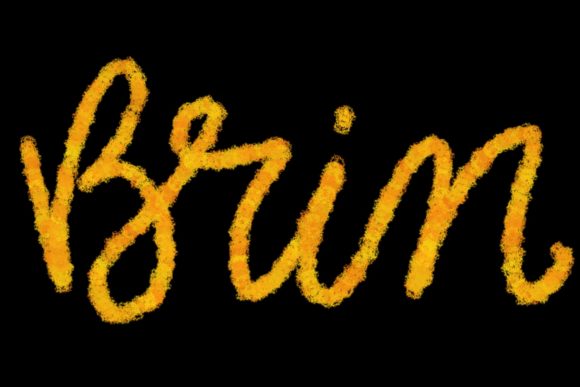
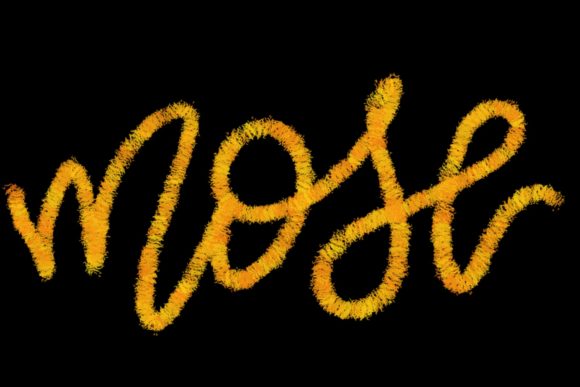
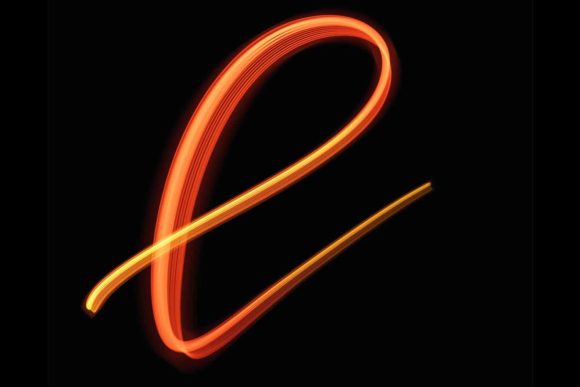
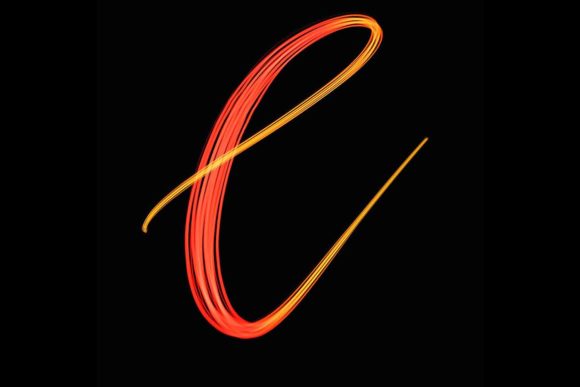
The primary appeal of the Neem Brush for Procreate 5 and Above is its ability to mimic the unpredictable beauty of real ink on paper. In traditional calligraphy, the pressure you apply to the nib determines the thickness of the stroke. Digital brushes often struggle to replicate this nuance, resulting in lines that look computationally perfect but artistically sterile. The Neem brush set addresses this by offering a responsive pressure sensitivity that reacts naturally to the Apple Pencil.
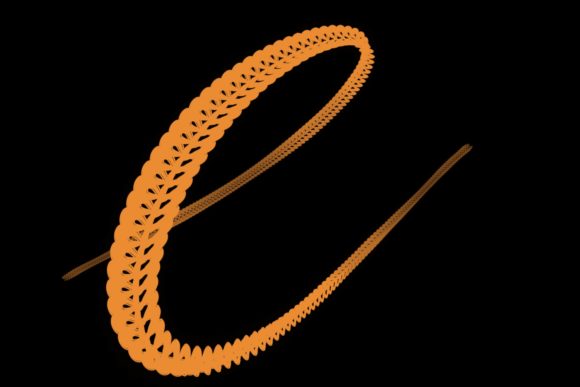
When you use this brush, you are not just drawing lines; you are creating texture. The slight variations in edge roughness and ink density give your work a tactile quality. This is particularly crucial for modern calligraphy, where the "imperfect" nature of the stroke is what makes it stylish. For designers working on greeting cards or personal projects, this means less time spent adding artificial textures in post-production and more time focusing on the flow and composition of the lettering itself.
Real-World Applications for Freelancers and Businesses
Understanding the tool is one thing; knowing where to apply it is another. The versatility of the Neem Brush for Procreate 5 and Above makes it suitable for a wide range of professional and personal scenarios. Here is how different users can leverage this tool effectively.
Wedding Stationery and Event Design
The wedding industry relies heavily on aesthetics that convey elegance and personalization. Couples today often seek bespoke invitations that stand out from mass-produced templates. Using the Neem brush, a designer can create custom monograms, header text, and decorative flourishes that feel hand-crafted. The organic flow of the brush allows for sweeping ascenders and descenders that look graceful rather than mechanical. Because the brush is optimized for Procreate 5 and above, you can easily layer these elements over textured paper backgrounds, creating a hybrid look that appeals to clients wanting the charm of analog design with the convenience of digital editing.
Social Media Content and Quote Graphics
In the age of Instagram and Pinterest, visual quotes are a dominant form of content. Brands and influencers need to produce high volumes of graphics that stop the scroll. The Neem Brush for Procreate 5 and Above is ideal for this because it allows for rapid creation without sacrificing quality. You can quickly sketch out inspirational quotes, adjust the kerning and spacing using Procreate’s transform tools, and export high-resolution images ready for posting. The brush’s ability to create bold, impactful strokes ensures that text remains readable even on small mobile screens, while still retaining artistic flair.
Logo Design and Branding
While vector software like Adobe Illustrator is the standard for final logo files, the conceptual phase often benefits from the freedom of raster-based drawing. The Neem brush allows branding specialists to explore organic, hand-written logo concepts that feel approachable and authentic. This is particularly effective for businesses in the wellness, artisanal food, or creative sectors where a polished, corporate look might feel alienating. Once the concept is finalized using the Neem Brush for Procreate 5 and Above, it can be vectorized for scalability, but the initial creative spark comes from the natural movement of the digital pen.
Who Benefits Most from This Tool?
This brush set is not a one-size-fits-all solution, but it is exceptionally well-suited for specific audiences. If you are a traditional calligrapher looking to transition into digital mediums, the learning curve will be significantly flatter with a brush that respects traditional pressure dynamics. Similarly, graphic designers who usually rely on keyboard shortcuts and mouse inputs may find that incorporating the Apple Pencil with the Neem brush opens up new creative avenues, allowing for more intuitive sketching and ideation.
Hobbyists and journaling enthusiasts also stand to gain immensely. Digital planning and journaling have become popular trends, and the ability to add beautiful, hand-lettered headers to digital planners enhances the overall experience. The Neem Brush for Procreate 5 and Above makes it easy to jazz up your workspace digitally, turning a blank canvas into a personalized creative hub.
Technical Considerations and Limitations
Before investing time in mastering this tool, it is essential to understand its technical boundaries. The Neem Brush for Procreate 5 and Above is exclusively designed for the Procreate app on iPad. It requires an iPad Pro and a compatible pressure-sensitive stylus, such as the Apple Pencil. This is not a limitation of the brush alone but a reflection of how Procreate utilizes hardware capabilities to deliver performance.
It is crucial to note that this brush will not work in Photoshop, Clip Studio Paint, or any desktop-based software. If your workflow is primarily computer-based, this tool will not integrate seamlessly. Furthermore, while the iPad Pro offers the best experience due to its processing power and screen responsiveness, users with older iPad models may experience latency if their devices do not fully support the latest Procreate features. Ensuring your software is updated to version 5 or higher is mandatory, as earlier versions may not support the specific brush engines utilized in this set.
Another consideration is the learning curve associated with digital pressure control. Unlike a physical pen, where friction provides feedback, the glass surface of an iPad can feel slippery. Many users benefit from adding a matte screen protector to simulate the tooth of paper, which enhances the control offered by the Neem Brush for Procreate 5 and Above.
Maximizing Your Creative Workflow
To get the most out of this brush set, consider combining it with other Procreate features. Use the stabilization settings to smooth out shaky hands when creating long, sweeping curves. Experiment with blending modes to layer multiple strokes, creating depth and shadow that mimic wet ink drying on paper. Because the brush is hand-drawn, each stroke carries a unique character; embrace this unpredictability rather than trying to force perfect symmetry.
Ultimately, the Neem Brush for Procreate 5 and Above is more than a digital asset; it is a gateway to a more expressive and efficient creative process. Whether you are designing a logo for a startup, creating heartfelt wedding invites, or simply adding a personal touch to your digital journal, this tool provides the elegance and flexibility needed to bring your vision to life. By understanding its strengths and respecting its technical requirements, you can unlock a new level of sophistication in your digital lettering work.