Mastering Fabric Effects: A Practical Guide to Procreate 5 Textile Brushes and Stamps
Digital illustration has evolved significantly, moving beyond flat colors and simple gradients into the realm of tactile realism. For designers, illustrators, and surface pattern creators, the ability to replicate the look and feel of physical materials is crucial. This is where specialized tools like Procreate 5 Textile Brushes and Stamps come into play. These hand-designed assets are not merely decorative additions; they are functional tools engineered to simulate the complex interplay of light, shadow, and texture found in woven fabrics, knits, and organic fibers.
Understanding whether these specific brushes fit your workflow requires a clear evaluation of their capabilities, technical requirements, and how they compare to broader digital painting methods. This guide explores the practical application of these textile textures, helping you decide if they are the right resource for your creative projects.
Defining the Toolset: What Makes These Brushes Distinct?
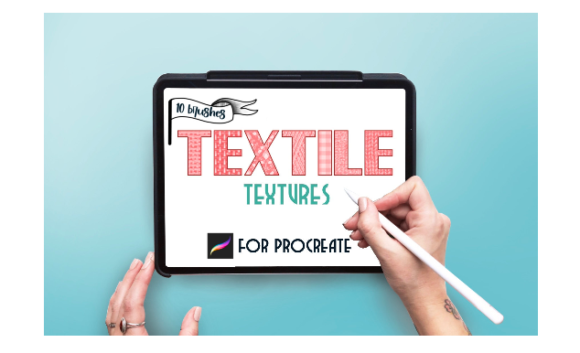
The core value proposition of Procreate 5 Textile Brushes and Stamps lies in their specificity. Unlike general-purpose texture brushes that might offer a generic "grunge" or "paper" effect, this collection focuses exclusively on fabric simulation. The set includes ten distinct textured brushes alongside a variety of stamps, all hand-designed to capture the nuances of material surfaces.
What sets this approach apart is the intentionality behind the design. Each brush stroke is calibrated to mimic the irregularities of real-world textiles. Whether it is the loose weave of linen, the tight loop of jersey knit, or the rough surface of burlap, the brushes provide a foundational layer of realism that would otherwise take hours to paint manually. The inclusion of stamps further accelerates the workflow, allowing artists to place complex textile patterns instantly, which can then be manipulated to fit the perspective and lighting of the composition.
However, the effectiveness of these tools is heavily dependent on the hardware and software environment. It is imperative to note that these brushes are optimized specifically for Procreate version 5. Users attempting to import them into older versions may encounter compatibility issues or degraded performance. Furthermore, the tactile nature of these brushes demands precise input. To achieve the intended dimensionality, you need an iPad Pro paired with an Apple Pencil or a compatible, pressure-sensitive stylus. The pressure sensitivity allows the brush engine to vary the opacity and size of the texture dynamically, mimicking the way pressure affects ink or paint on actual fabric.
Comparative Analysis: Specialized Brushes vs. General Texture Methods
When evaluating Procreate 5 Textile Brushes and Stamps, it is helpful to compare them against alternative methods for creating fabric effects. Artists generally have three paths: manual painting, using photo overlays, or employing specialized brush sets. Each approach has distinct tradeoffs regarding time, control, and authenticity.
- Manual Painting: Painting fabric textures from scratch offers the highest level of control. You can dictate every thread and fold. However, this method is incredibly time-consuming and requires advanced knowledge of light physics and material properties. For commercial projects with tight deadlines, this is often impractical.
- Photo Overlays: Importing photographs of real fabrics and blending them into artwork is a common technique. While fast, this method can look flat or disjointed if the lighting and perspective do not match the illustration perfectly. It also limits scalability, as raster images may lose quality when resized significantly.
- Specialized Brush Sets: This is where Procreate 5 Textile Brushes and Stamps occupy a middle ground. They offer more speed than manual painting and better integration than photo overlays. Because the brushes are vector-based or high-resolution raster tools within the Procreate engine, they respond to the canvas resolution and can be scaled without the pixelation issues common in photo overlays.
The distinct advantage of this specific brush set is its focus on dimension. Many standard texture brushes apply a flat pattern. In contrast, these textile brushes are designed to interact with layer blending modes. By duplicating layers and setting the top one to different blend modes—such as Overlay, Multiply, or Soft Light—artists can create a sense of depth. This technique allows the texture to sit naturally within the shadows and highlights of the underlying form, rather than appearing as a sticker placed on top.
Technical Constraints and Compatibility Considerations
Before investing time in learning these tools, it is essential to address the technical limitations. The most critical constraint is platform exclusivity. These brushes DO NOT work in Photoshop or any other desktop-based application. They are proprietary to the Procreate ecosystem on iPadOS. If your workflow relies heavily on Adobe Creative Cloud or desktop-based illustration software, these assets will not integrate into your pipeline.
Additionally, the requirement for an iPad Pro and Apple Pencil is not merely a suggestion but a functional necessity for optimal results. While basic styluses may register input, they often lack the nuanced pressure sensitivity required to activate the dynamic features of the brush engine. Without pressure sensitivity, the brushes may produce uniform, repetitive patterns that lack the organic variation essential for realistic textile effects. Users with older iPad models or non-Pro tablets may find that the performance lags when using high-resolution stamps, particularly on large canvases.
Another consideration is the learning curve associated with layer management. To unlock the full potential of these brushes, users must be comfortable with Procreate’s layer system. The recommendation to duplicate layers and adjust blending modes implies a workflow that goes beyond simple brush selection. Artists who prefer a straightforward, single-layer approach may find the setup process cumbersome compared to simpler, plug-and-play texture tools.
Best-Fit Scenarios: When to Use These Textile Tools
Identifying the right use case is key to maximizing the value of Procreate 5 Textile Brushes and Stamps. These tools are particularly effective in several specific scenarios:
- Surface Pattern Design: For designers creating repeats for fabric printing, these brushes provide a quick way to visualize how a pattern might look on different material bases. The stamps can be used to create mockups that show clients how a design interacts with linen, cotton, or wool textures.
- Fashion Illustration: Digital fashion sketches benefit immensely from realistic fabric rendering. Instead of spending hours shading a silk dress, an illustrator can use a specialized brush to lay down the base texture, then refine the folds manually. This hybrid approach saves time while maintaining artistic integrity.
- Interior Design Visualizations: When sketching interior concepts, representing upholstery, curtains, and rugs accurately helps convey the mood of a space. These textile brushes allow for rapid iteration of material choices without needing to source and edit separate photo references.
In these contexts, the brushes serve as a force multiplier. They handle the tedious aspect of texture generation, freeing the artist to focus on composition, color theory, and narrative.
Limitations and When to Seek Alternatives
Despite their strengths, Procreate 5 Textile Brushes and Stamps are not a universal solution. There are situations where alternative approaches may be more suitable.
If you require photorealistic accuracy for high-end advertising or product visualization, dedicated 3D rendering software or high-resolution photography may yield superior results. Digital brushes, no matter how sophisticated, are still simulations. They may struggle with complex interactions of light, such as subsurface scattering in translucent fabrics or intricate specular highlights on satin.
Furthermore, if you are working in a team environment where files need to be exchanged between iPad and desktop users, the incompatibility with Photoshop is a significant barrier. In collaborative workflows, using standard file formats and universally compatible tools ensures smoother handoffs and fewer technical friction points.
Finally, artists who specialize in highly stylized, abstract, or minimalist art may find these textured brushes unnecessary. If your aesthetic relies on clean lines and flat colors, adding complex textile textures could clutter the composition and detract from the intended visual impact.
Making an Informed Decision
Choosing the right digital tools is about aligning resources with your specific creative goals. Procreate 5 Textile Brushes and Stamps offer a powerful, efficient way to introduce tactile realism into digital illustrations. Their strength lies in their specialization, offering ten carefully crafted textured brushes and stamps that respond dynamically to pressure and layer blending.
However, their utility is bounded by the Procreate ecosystem and the need for specific hardware. If you are an iPad-based artist looking to enhance fashion illustrations, surface designs, or interior sketches with authentic fabric effects, these brushes represent a valuable addition to your toolkit. They bridge the gap between the speed of digital art and the richness of physical media.
Conversely, if your workflow is desktop-centric, requires cross-platform compatibility, or demands photorealistic precision beyond the scope of 2D illustration, you may need to explore alternative solutions such as 3D texturing tools or photographic compositing. By weighing these factors against your current needs and technical setup, you can determine whether this specialized brush set is the right investment for your artistic journey.